Orchid Design System
The Orchid design system is a thoughtful and scalable foundation for creating a clean, consistent, and welcoming portfolio experience. Built with reusable case study components, tokens, and design standards. I've contributed and built design systems across ALL my experiences, so here's a visualization of mine :)
NOTE: Some visualizations were assisted in Claude Code.
Primitive Colors
These are raw color palette values. Use semantic tokens in components.
NEUTRALS
white
#ffffff
steel
#eff3f6
sand gray
#d1d5d6
gray
#808080
black
#000000
FRESH GREEN
50
#f0fdf3
100
#dcfce3
200
#bbf7c9
300
#87eea1
400
#3cda64
500
#23c44c
600
#17a23b
700
#167f32
800
#17642c
900
#145326
BABY BLUE
50
#f0f8ff
100
#dff0ff
200
#b8e3ff
300
#33b4fd
400
#33b4fd
500
#099aee
600
#007bcc
700
#0061a5
800
#045388
900
#0a4570
Semantic Tokens
Hover or tap any item to see the connections!
Primitive
Neutrals
--color-white
--color-steel
--color-sand-gray
--color-gray
--color-black
Fresh Green
--color-fresh-green-50
--color-fresh-green-300
--color-fresh-green-400
--color-fresh-green-500
Baby Blue
--color-baby-blue-300
Token
Brand
--color-brand-primary
Surface
--color-surface-base
--color-surface-decorative
--color-surface-raised
Text
--color-text-primary
--color-text-secondary
--color-text-tertiary
Border
--color-border
Button
--color-button-text
--color-button-bg-primary
--color-button-bg-primary-hover
--color-button-bg-outline-hover
Used In
Buttons
ButtonOutline
ButtonPrimary
Case Study Format
CaseStudyHeroCard
CaseStudyStart
CaseStudyNav
Decorative
InfoBlock
Quote
Layout
Header
Typography
DISPLAY FONT
--font-display: 'Libre Baskerville', serif
The quick brown fox
HEADING FONT
--font-display: 'Manrope'
The quick brown fox
The quick brown fox
The quick brown fox
BODY FONT
--font-display: 'Manrope'
Body text - regular (16px)
Small body text - muted(14px)
Caption / label text (12px)
Header
Sticky site header rendered globally via layout.js. Contains the logo and navigation links.

WORK
ABOUT
RESUME
InfoBlock
Pair this up with other InfoBlocks for quick information.
3 Step Filtering
Open, select, apply pop-up method. No iterative feedback or visible change.
Unclear Hierarchy
106 options with no real hierarchy and poor grouping. Immediate cognitive load.
Product Layout
Huge card real estate, yet no details, leading to low confidence browsing.
| Prop | Type | Description |
|---|---|---|
| icon | Icon | Lucide-react icon. |
| title | string | Case study title. |
| description | string | Case study description. |
<InfoBlock icon={Icon} title={"Example Title"} description={"Example description"}/>
CaseStudyHeroCard
Landing page case study card. Hovering over reveals animation to go to case study. Takes in the case study URL, cover image, title, and description.
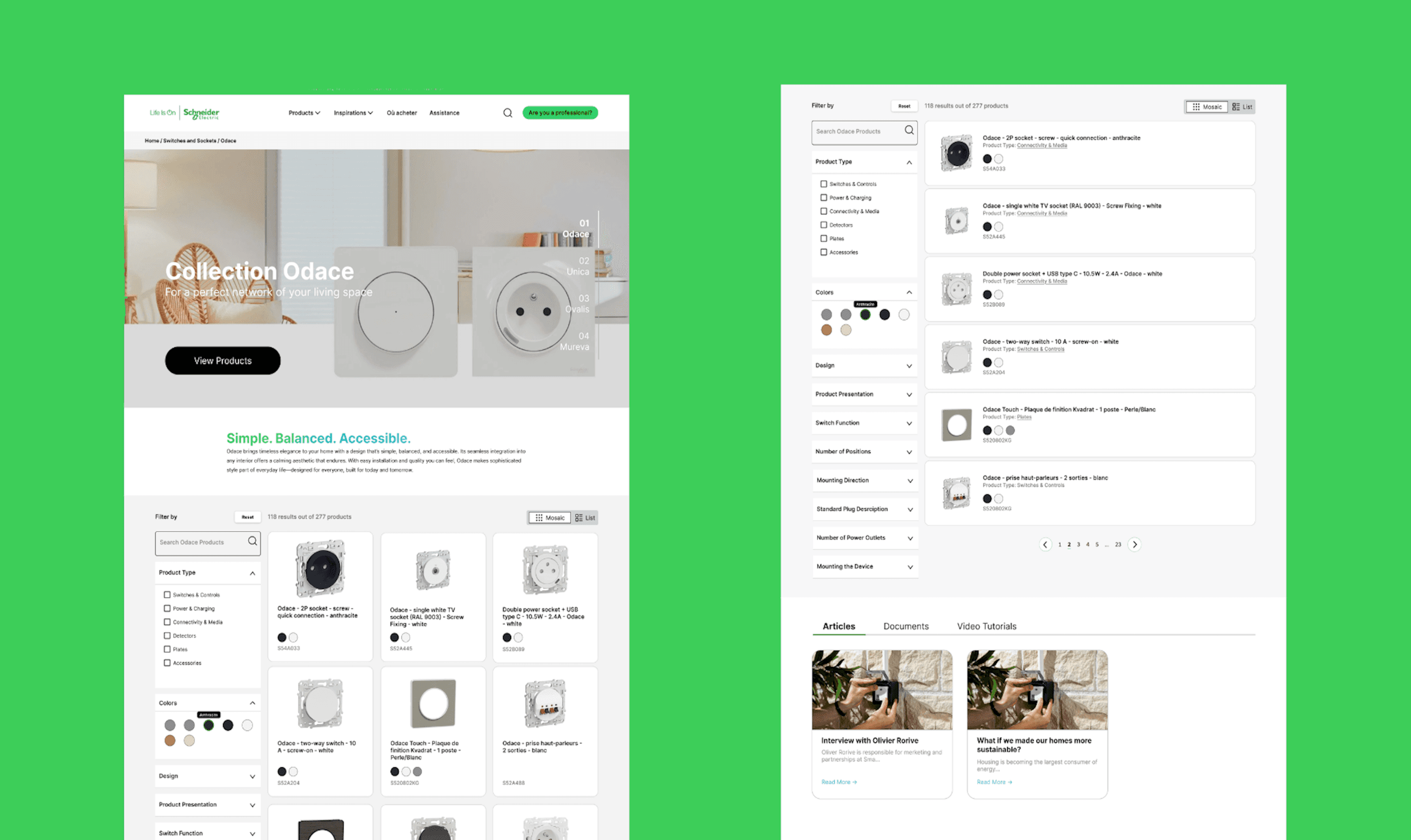
| Prop | Type | Description |
|---|---|---|
| pagelink | string | Portfolio case study URL. |
| imageSrc | string | Image file location. |
| projectName | string | Case study title. |
| projectDescription | string | Case study description. |
<CaseStudyHeroCard>
pagelink="/schneider-electric"
imageSrc="/schneider-electric/..."
projectName="Schneider Electric."
projectDescription="From enterprise buyer to everyday homeowner"
<CaseStudyHeroCard/>
CaseStudyStart
Base starting information for a case study. Contains the title, description, image, role, timeline, team, and skills used during the project.
Kyoto Project Center
Kyoto IQP Database

ROLE
Designer & Developer
TIMELINE
Oct 2024 - Dec 2024
TEAM
Jason Zhang
Arjun Bhat
Szymon Mamro
SKILLS
Product Design
Front-end Development
Stakeholder Management
| Prop | Type | Description |
|---|---|---|
| tag | string | Job, freelance, part time, internship, etc. |
| title | string | Portfolio case study title. |
| description | string | Portfolio case study description. |
| imageSrc | string | Image file location. |
| imageAlt | string | Image alt tag. |
| fields | { label: "string", values: [string] }[] | List of roles, timeline, team, and skills. |
<CaseStudyStart>
tag="INTERNSHIP"
imageSrc="/schneider-electric/..."
imageAlt="schneider-electric"
title="Schneider Electric"
description="From enterprise buyer to everyday homeowner"
fields="{["
{label: "ROLE", values: "Designer & Developer"},
{label: "TIMELINE", values: "Oct 2024 - Dec 2024"},
{label: "TEAM", values: ["Jason Zhang", "Arjun Bhat", "Szymon Mamro"]},
{label: "SKILLS", values: ["Product Design", "Front-end Development", "Stakeholder Management"]}
<CaseStudyStart/>
Quote
My favorite quote is: "Preoccupied with a single leaf, you won't notice the tree. Preoccupied with a single tree, you'll miss the entire forest". Basically: understand the entire ecosystem of what you are working with. Put it all together.
Preoccupied with a single leaf, you won't notice the tree.
Preoccupied with a single tree, you'll miss the entire forest.
~Takehiko Inoue, Vagabond manga author
Preoccupied with a single tree, you'll miss the entire forest.
~Takehiko Inoue, Vagabond manga author